Deep file identification
Reads available ECU/TCU identifiers, SW/HW references, file structure and originality evidence before any service is offered.

Loading TUNING SUITE
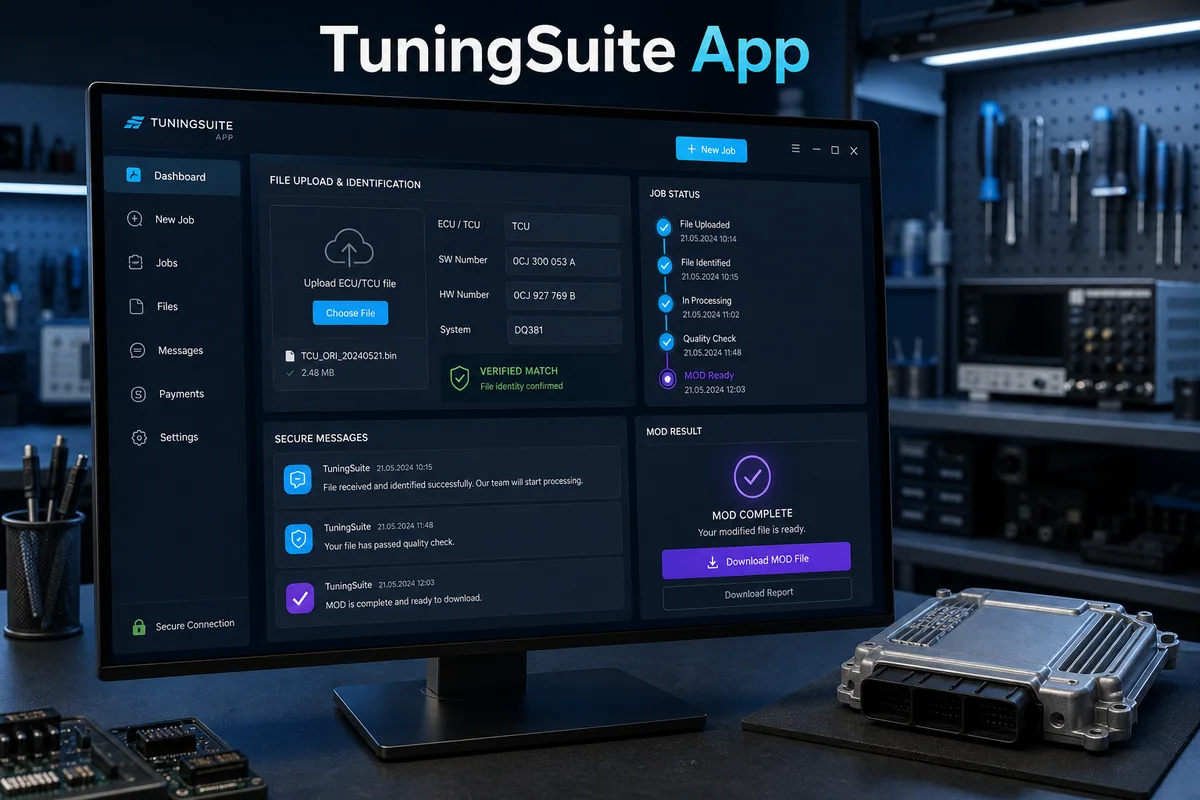
Desktop client
TuningSuite App brings the web portal workflow to Windows. Customers sign in with the same account, upload ECU or TCU files, use licensed vehicle categories, review matched solutions and continue a support request without switching systems.
ECU and TCU file upload
Verified solution matching
Vehicle category access controls
File and tuning history
Support workflow
Secure licence workflow
Connected TuningSuite account
Production support and updates
Product details
Operational purpose
A Windows desktop client for the TuningSuite Web workflow. It identifies an uploaded ECU or TCU file, presents verified matches and licensed services, then keeps the request, support conversation and completed file connected to the same portal account.
Included capabilities
Reads available ECU/TCU identifiers, SW/HW references, file structure and originality evidence before any service is offered.
Shows database results only when the engine can establish a compatible match, with manual review available for uncertain files.
The source file, requested services, status, messages and returned MOD remain attached to one traceable portal order.
An unmatched file can continue to specialist support without re-uploading it or losing the original customer instructions.
Status and completion information stays aligned with the same TuningSuite account used in the web portal.
The Windows client receives entitled releases through the controlled TuningSuite update workflow.
Designed for
Operational value